Loading ebook details...
AI / Audio Production
The AI Voice and Audio Studio for Agencies
Produce Commercial Voiceovers, Podcast Polish and Phone Agents with ElevenLabs, Cartesia and Audacity (No Sound Engineer Needed)
5.0(43)
|Editorial review 4.5/5The problem
Traditional voice talent charges steep hourly rates and takes days to return revisions. Free AI speech tools sound flat, mispronounce industry terms, and produce inconsistent volume levels across takes.
Who it's for
Agency owners, video editors, course creators, and solopreneurs who need studio-grade voiceovers, clean podcasts, and interactive phone audio without paying high freelance talent fees.
The method
Review brief and rights -> Draft and time copy -> Generate only with approved sources/accounts -> Edit working copies -> Measure, listen and document delivery
Inside this book
- 32chaptersOne method, explained step by step
- 30day planA small action for every day
How the method works
Review brief and rights -> Draft and time copy -> Generate only with approved sources/accounts -> Edit working copies -> Measure, listen and document delivery: the path the book takes you through, step by step.
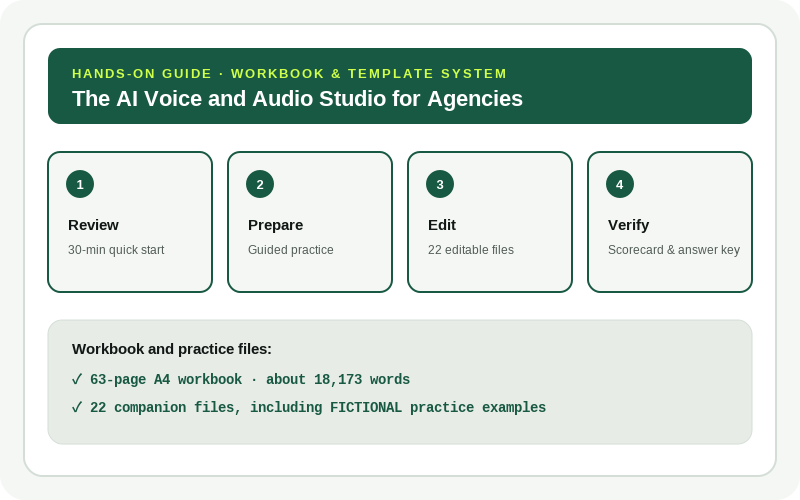
- ReviewDefine source/voice permissions, facts, destination specification and scope.
- PrepareDraft approved copy, pronunciation candidates and actual timing checks.
- EditCompare optional processing on working copies in the installed tool version.
- VerifyMeasure exported files, review the complete performance and record remaining gaps.
What you'll be able to do
Practice narration, editing, localization and phone-flow design with explicit rights, source, timing and measurement checks. No broadcast approval, voice-quality guarantee, client income or live telephone integration is established.
Is this book right for you?
Produce commercial voiceovers, podcast audio, and phone agents in-house without hiring voice actors or sound engineers.
Useful for source/timing/measurement records and phone-flow design if you can later test actual listening quality and provider controls.
Skip if you expect supplied voice rights, broadcast-ready speech or a functioning telephone service. Mathematical tone fixtures are not a finished spoken portfolio.
Practice narration, editing, localization and phone-flow design with explicit rights, source, timing and measurement checks. No broadcast approval, voice-quality guarantee, client income or live telephone integration is established.
Added buyer-guide/ contains an authored fictional source, complete reference decision, deliberate fault and editable review record. Existing tools, sources and licences remain. A file/score/template is not a verified real-world outcome.
Practice outcome
A reviewed brief and asset-specific rights/scope draft.
Practice outcome
Fifteen script drafts with approved-fact placeholders and forty-seven matching answers.
Practice outcome
Three non-speech WAV fixtures with measured mono/dual-mono and peak comparisons.
Practice outcome
A disabled phone-agent design with complete route references, not a working integration.
Practice outcome
Blank cue, pronunciation, costing and twenty-five-check production logs.
What you can inspect
- All twelve original companion filenames and original chapter headings retained.
- Fifteen current script topics match the source; forty-seven questions have matching answers.
- Three mathematical WAV files analyzed locally: mono/dual-mono differs by 3 LUFS; reconstructed peak can exceed stored sample peak.
- Twenty-five acceptance checks remain UNTESTED; no live provider, Audacity, speech/listening, call or independent reader trial is claimed.
What's inside
- 65-page revised workbook; twenty-three modules and 18,373 extracted words
- Twenty-two companion files, retaining all twelve original filenames.
- Fifteen current draft scripts, three non-speech WAV fixtures and separate analyzer results.
- Blank cue, full-cost, pronunciation and twenty-five-check production records.
- Added buyer guide: specific paid-versus-free judgment, finished fictional comparison case, existing starter-file route and editable review record
Chapters
- 01Start here
- 02The 30-minute quick start
- 03Module 1: The Commercial Voice Market and Audio Physics
- 04Module 2: Selecting, Directing, and Calibrating Voice Models
- 05Module 3: Pronunciation Control, Phonetics, and Script Preparation
- 06Module 4: The 4-Stage Audacity Mastering Chain
- 07Module 5: Interactive Telephony and Local Phone Tree Agents
- 08Module 6: Commercial Licensing, Legal Protections, and Client Intake
- 09Module 7: Case Study: How Kamil Built a \$3,400/Month Audio Agency (Modelled Scenario)
- 10Module 8: Packaging Deliverables and Ongoing Client Retainers
- 11Module 9: Multi-Voice Dialogue and Podcast Scene Production
- 12Module 10: Multi-Lingual Dubbing and Global Dialect Localization
- 13Module 11: Video Sync and Sub-Second Timeline Alignment
- 14Module 12: Building Custom Voice Clones from Client Audio Files
- 15Module 13: 15 Ready-to-Record Commercial Scripts for Local Niches
- 16Module 14: The Agency Client Onboarding Walkthrough and Revision Protocol
- 17Module 15: Acoustic Troubleshooting Encyclopedia
- 18Module 16: Voice Cloning and Studio Speech Calibration
- 19Module 17: Multi-Track Podcast Mastering and Broadcast Chains in Audacity
- 20Module 18: Building Real-Time Conversational AI Voice Agents for Local Business
- 21Module 19: High-Ticket Agency Client Retainers, Commercial Broadcast Licensing, and Scope of Work Agreements
- 22Module 20: Advanced Production Labs and Troubleshooting Matrix
- 23Module 21: Broadcast Audio Engineering and Dialogue Editing Mechanics
- 24Module 22: Technical Deliverable Standards for Video Editors and Broadcast Networks
- 25Module 23: Complete 30-Day Agency Launch and Client Acquisition Roadmap
- 26Your 14-day plan
- 27Capstone and scorecard
- 28Answer keys
- 29FAQ
- 30Glossary
- 31Sources
- 32Changelog
Read a free sample
No email needed. This is the book's real text, unedited.
Start here
Practice a voice-production workflow for narration, podcast editing and phone-menu design. Record actual generation, editing and review times; this book does not establish a forty-five-minute completion time, broadcast acceptance or a working automated phone agent.
Hiring professional voiceover talent is expensive. A single 60-second commercial recording often costs between $150 and $400 on freelance platforms. When your client requests a one-word change in their business address, the talent charges another full revision fee. Turnaround times stretch to three or four business days.
Modern synthetic speech models solve this problem. Tools like ElevenLabs, Cartesia, and Audacity allow small marketing agencies and solo creators to produce broadcast-grade audio from any desk.
You do not need an acoustic recording booth. You do not need expensive condenser microphones. You need a clear system for directing artificial speech, correcting mispronunciations, and mastering raw stems to broadcast loudness standards.
Who this book is for
- Digital marketing agencies that produce video ads, explainers, and client promos.
- Video editors and motion designers who want to stop waiting days for voice actors.
- Course creators and educators building clean narrated training lessons.
- Solopreneurs building local phone answering systems for service businesses.
Who this book is NOT for
- Voice actors looking for union voiceover contract representation.
- Audio engineers who want deep analog circuit modeling or microphone preamp soldering guides.
- People looking for passive income without doing project work.
What you need before starting
- An account whose current features, source/voice permissions and license cover the intended practice. Free-tier output must not be assumed commercially licensed; commercial publication needs an asset-specific check.
- Audacity 3.4 or newer installed on your computer (completely free and open source).
- A pair of standard wired headphones to monitor audio quality.
- The twenty-two companion files in your
templates/folder. Begin with18-start-and-file-map.md; all twelve original filenames remain.
This revision includes editorial and local file checks. No provider-account generation, Audacity GUI/macro run, real telephone call or independent reader trial has been completed for it. Tool features and delivery requirements must be checked in the actual account and installed version.
Approve brief -> Choose voice -> Check terms -> Edit copy -> Review delivery
The 30-minute quick start
Use a thirty-minute practice budget to prepare a fictional narration draft. Actual generation, licensing review, timing and export may take longer. You will direct an AI voice, fix a pronunciation issue, and export a clean master file.
Step 1: Open ElevenLabs and select your test voice (5 minutes)
Log into your account. Navigate to the Speech Synthesis tab. Select the model named Eleven Multilingual v2.
Choose the preset voice named Rachel or Adam. Open Voice Settings. Set Stability to 0.55, Similarity to 0.75, and Style Exaggeration to 0.10. Treat these as optional experiments only if the selected model exposes those controls. Their effects vary by model, voice and text; listen to the result rather than assuming that one setting guarantees quality.
Step 2: Paste the test commercial script (5 minutes)
Copy this short ad script into the text window:
Looking for clean, reliable plumbing service in Oak Creek?
This is a fictional Metro Flow narration sample, not a real service offer.
Approved prices and availability must be checked before a real advertisement.
Call five five five, zero one two three today.
Notice the phone number format. Writing "five five five" prevents the AI from reading the digits as "five hundred and fifty-five".
Step 3: Listen and verify pronunciation (10 minutes)
Click Generate Speech. Listen through your headphones.
If the voice rushes through the company name, add a comma immediately after "Metro Flow,". Punctuation can influence pacing, but it does not impose a fixed 120-millisecond pause. Listen to the actual generated take and edit the timeline when exact timing matters.
[!TRY] Quick Start Lab: Export your first 24-bit WAV file
- In ElevenLabs, click the Download button beside your generated track.
- Open Audacity. Drag your downloaded audio file into the main timeline.
- Press Spacebar to play. Check that audio levels peak between -6 dB and -3 dB on the top green meter.
- Go to File -> Export Audio. Choose WAV (Microsoft), 24-bit PCM. Save as
metro_flow_quickstart.wav.
[!DONE] You have a clean 24-bit WAV file on your desktop that plays in full with no clipped peaks and clear phone readout.
Voice model name
Stability slider setting
Similarity slider setting
Measured audio runtime in seconds
Peak meter reading in Audacity (dB)
Version 1.0-r20261111 · changelog
- 1.0 (8 November 2026): First verified release with companion templates and labs. 9 November 2026: revised practical walkthrough, editorial corrections and checked local deliverables. 11 November 2026: revised audio workbook, measured non-speech practice, corrected rights/routing examples and complete answer keys.